Meal deals and offers
Meal deals customers find on their own.
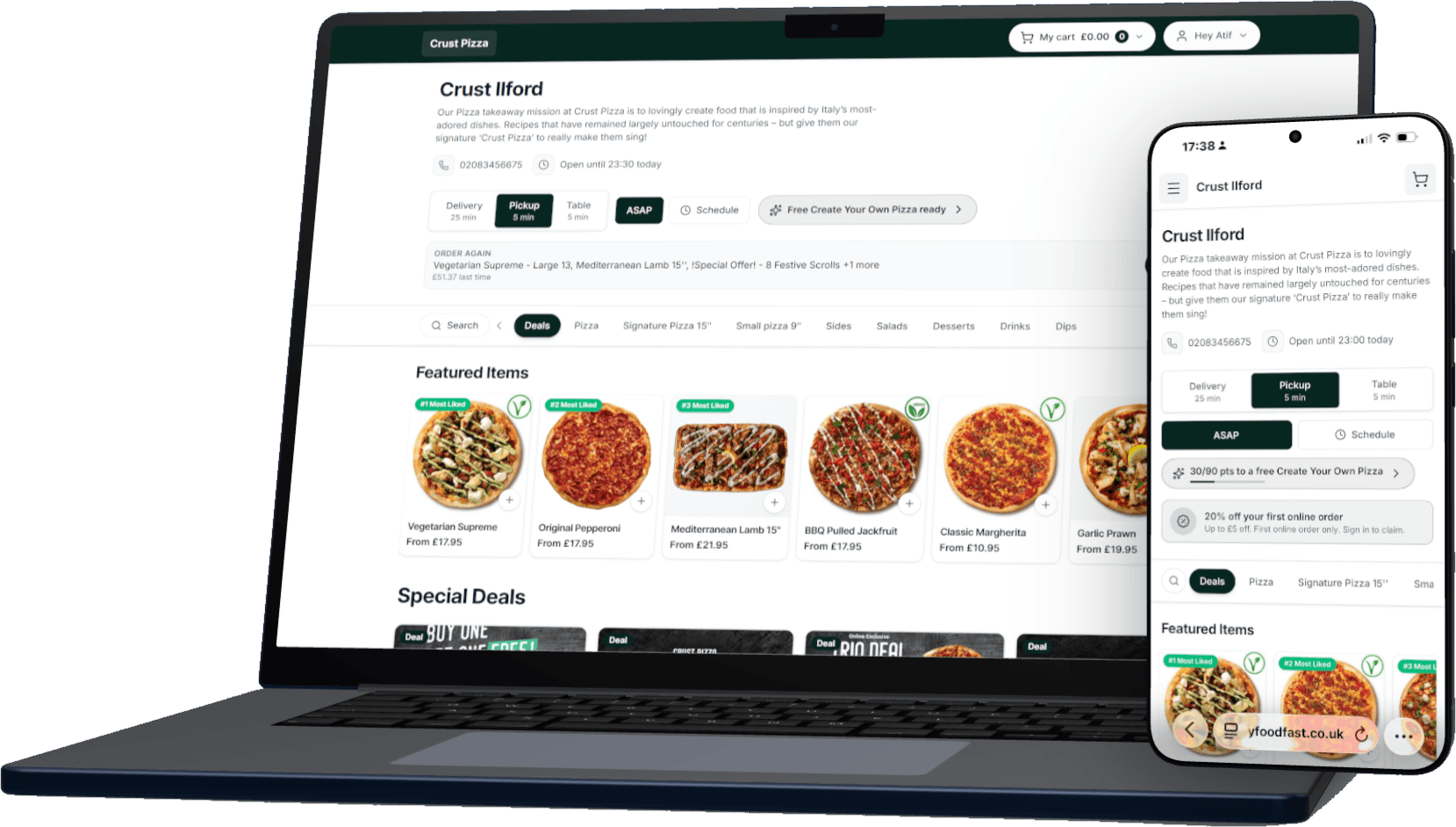
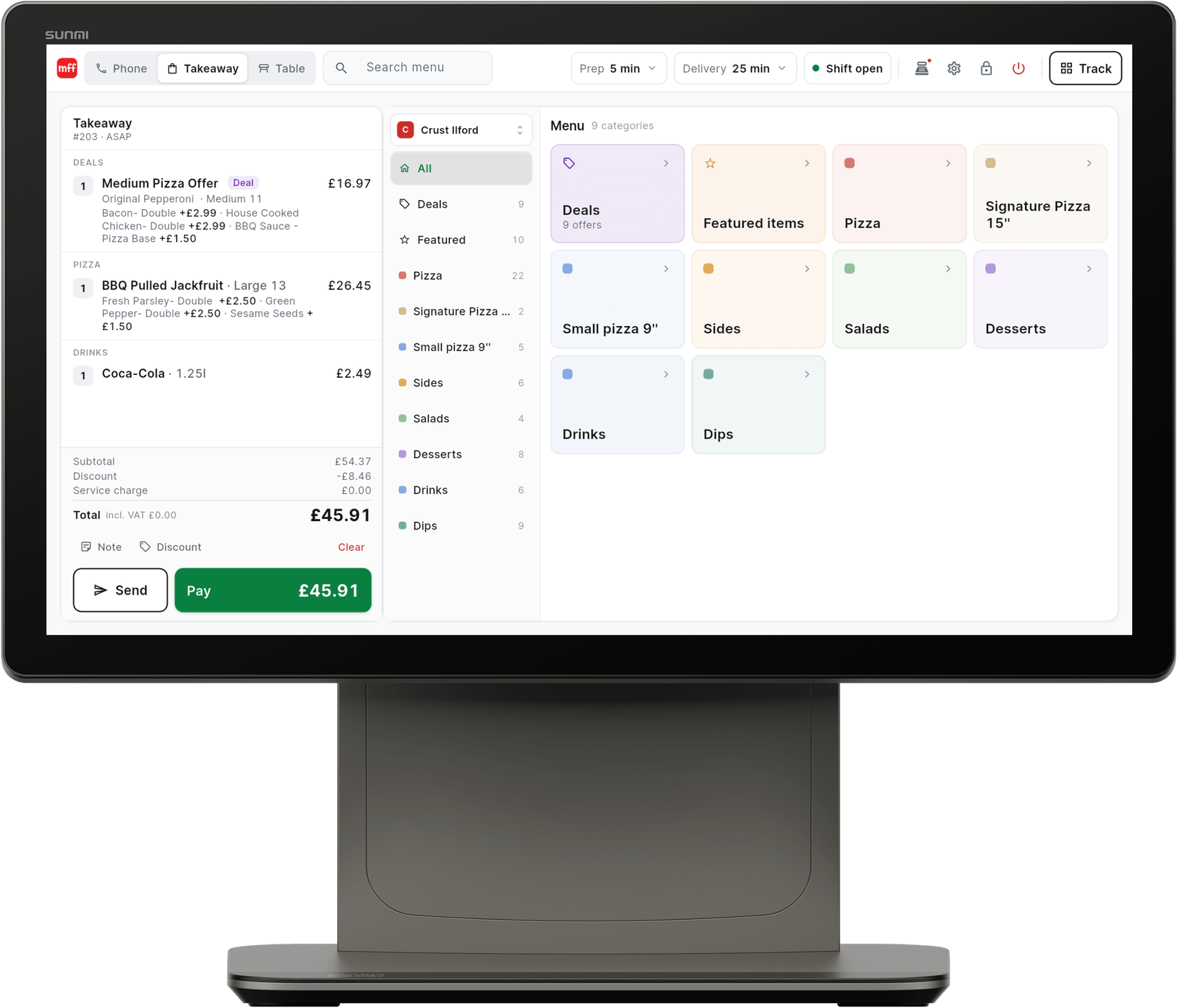
Build a deal once in MyFoodFast and it is on your POS, ordering website and app. Customers see the offers that fit their basket and add them in one tap, with no codes to guess.
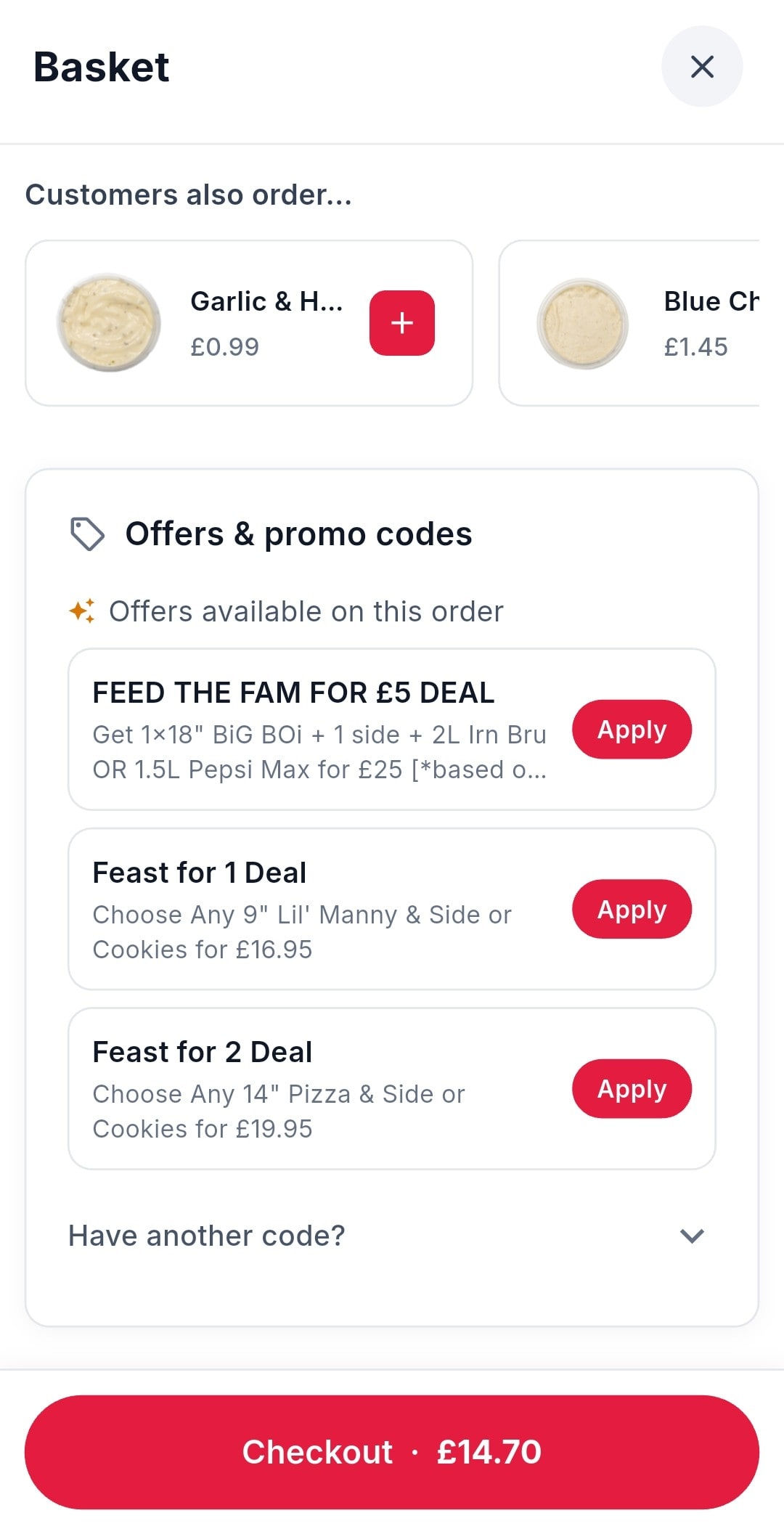
Offers in the basket
The basket lists the deals that fit this order, each with an Apply button. Nobody leaves to hunt for a code.
Set once, sold everywhere
The same deals on your POS, website and app, at the same price. Staff tap them; there are no rules to remember.
Your margin, protected
Run a deal only on the nights you choose, and marketing codes don’t stack on top of a deal unless you let them.
One set of deals. Every way you take orders.
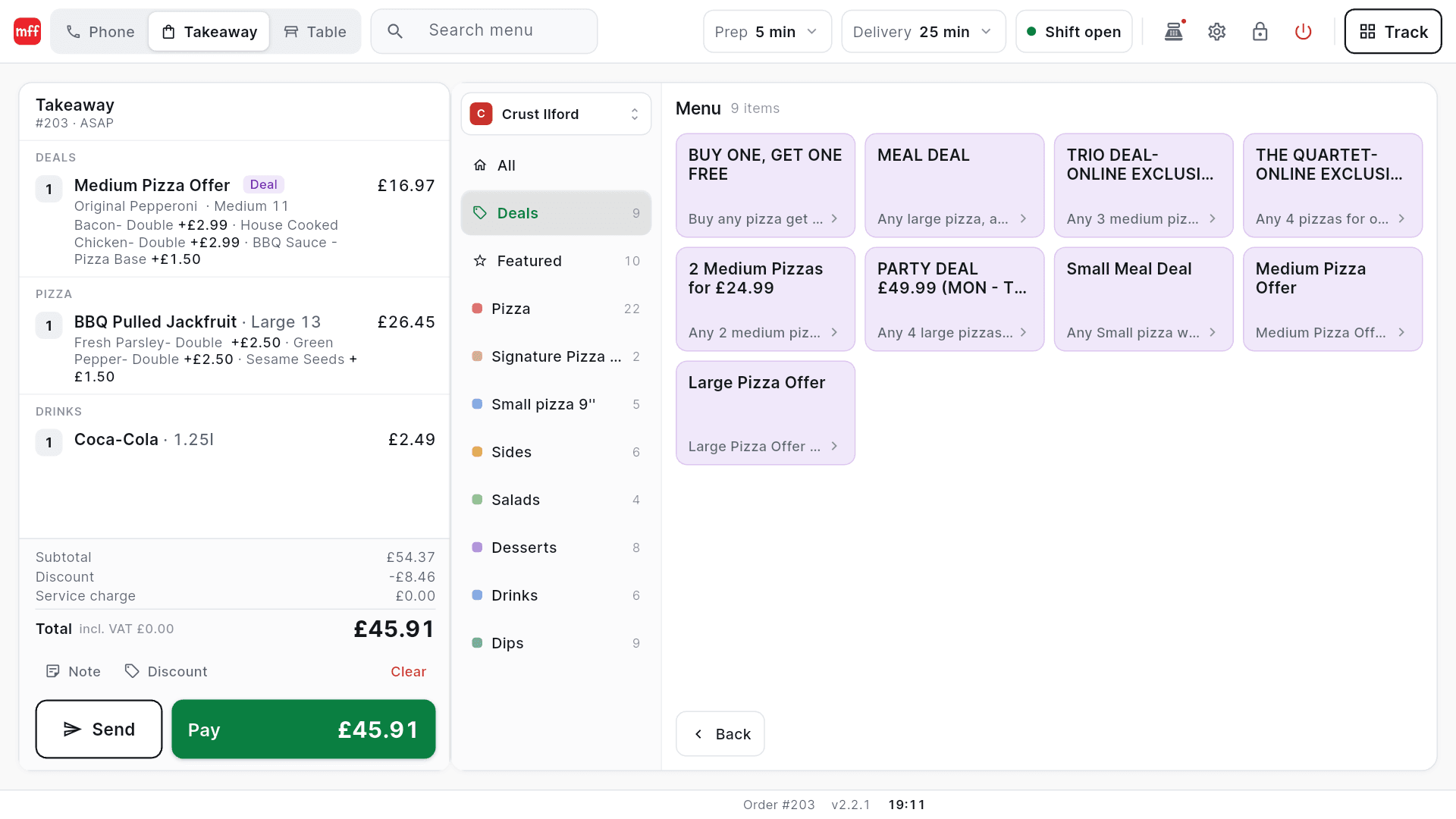
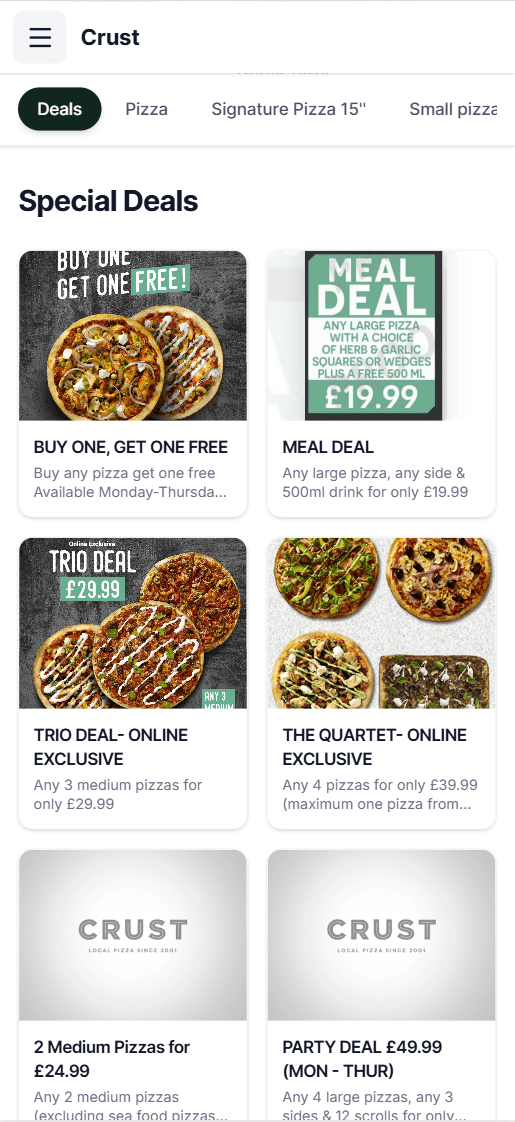
Build the deal
A meal deal, buy one get one free, a free side over a spend, or money off the order. Pick the products and set the price.
Choose when and where
Set the days and times, delivery or collection, and which channels and brands it runs on. Mid-week deals stay mid-week.
Customers build it in taps
The deal opens one choice at a time, shows how many picks are left, and the saving comes off when the basket qualifies.
- Meal deals and family feasts
- Buy one, get one free
- A free side or dessert over a spend
- Money off the whole order
- Half & Half pizzas
- Online-only and mid-week deals
Every kind of deal
The deals your customers already look for.
From the family feast to the Tuesday two-for-one, each one runs on the same rules wherever it is ordered.
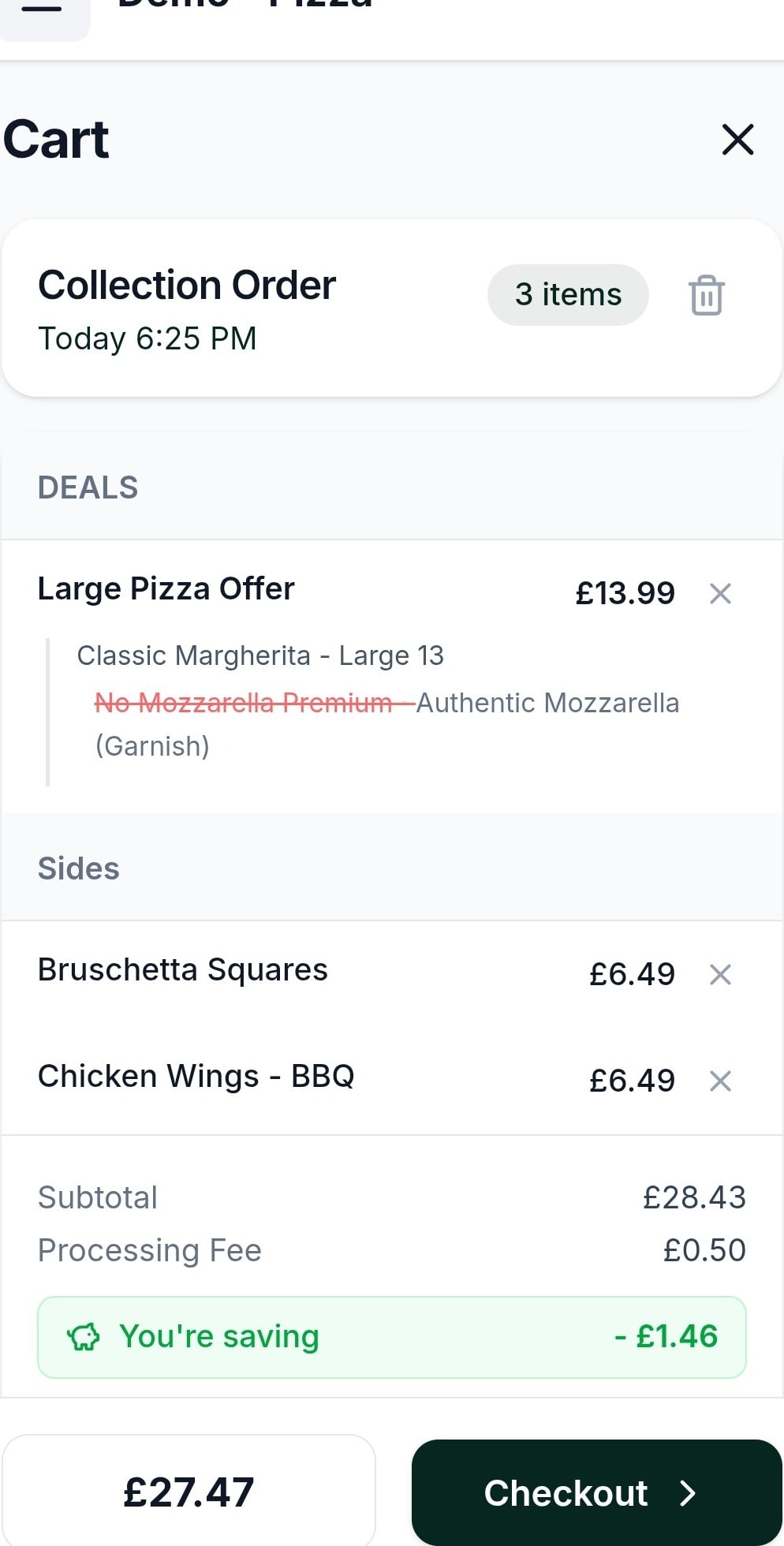
In the cart
The saving, spelled out.
Deals sit at the top of the cart with what was chosen, and the total shows exactly how much the customer saved before they pay.
What makes a good takeaway meal deal?
A good takeaway meal deal is easy to understand at a glance, built from food your kitchen already makes quickly, and priced so the saving is clear without giving away your margin. The classics work because customers already look for them: a family feast, buy one get one free on pizzas, a main with a side and a drink, or a free dessert over a set spend.
Where a deal is shown matters as much as the price. MyFoodFast puts deals in their own tab at the top of your online menu, opens each one step by step, and lists the offers that fit the customer’s basket with an Apply button, so customers don’t need to know a code. The same deals appear on your POS for phone and counter orders, so a customer gets the same price however they order.
Use timing to protect the busy nights: run two-for-one deals Monday to Thursday, and keep an online-only deal to move regulars from the phone to your website. Watch how many times each deal was used in the last 30 days, and pause the ones nobody picks. Half & Half pizzas, a free side over a spend and party deals for groups all run on the same rules.
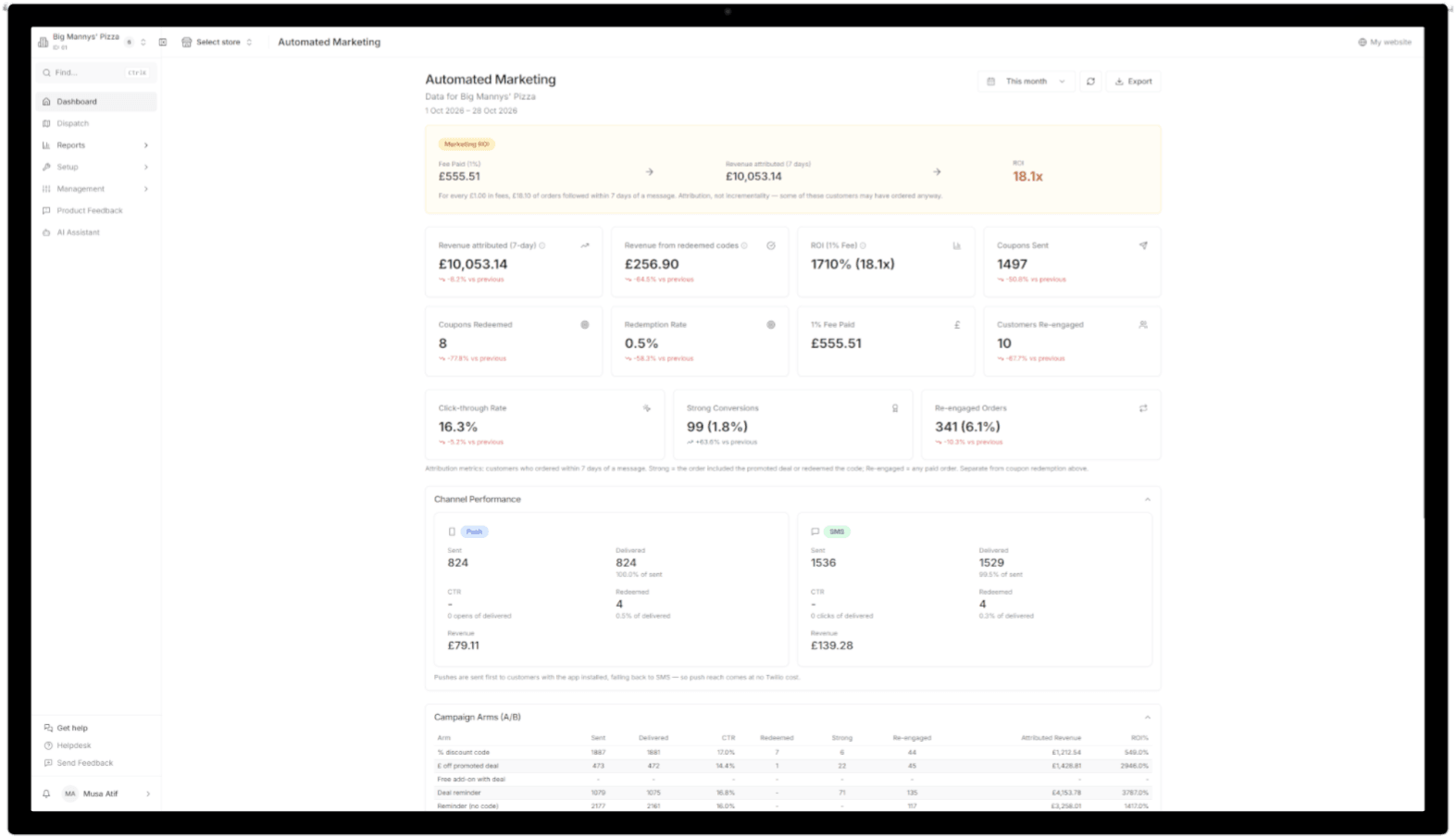
Deals run on MyFoodFast Online Ordering, your branded app and the POS. Send them to past customers with Automated Marketing, give each virtual brand its own, and reward regulars with loyalty points.
Meal deals — the questions owners ask
Can I run the same meal deals on my POS, website and app?
Yes. Build a deal once in the MyFoodFast back office and it is live on your POS, your ordering website and your branded app, at the same price. You can also limit a deal to certain channels, such as online only.
What kinds of deals can I set up?
Deals with two items, such as buy one get one free; deals with three or more items, such as a meal deal or family feast; a discount on selected items, including a free item over a minimum spend; and a discount on the whole order.
Do customers need a promo code to get a deal?
No. Deals apply as soon as the basket qualifies, and the basket lists the offers that fit the order with an Apply button. Customers can still type a code under “Have another code?”.
Can I run a deal only on certain days or times?
Yes. Set the days and times, a start and end date, and whether it is for delivery, collection or both. A Tuesday-only deal simply isn’t offered on a Wednesday.
Can customers order Half & Half pizzas?
Yes. Turn on Split Products for your pizza category and the Half & Half deal is created for you. The price is the average of the two halves, plus an extra charge if you set one, and both halves are the same size.
Will a discount code stack on top of a meal deal?
Not unless you choose. Marketing codes are set not to stack with deals, so a customer already getting the deal price doesn’t get a second discount. You can change that for any code.
Can I send customers straight to a deal from a text?
Yes. A campaign link from MyFoodFast Automated Marketing opens the deal on your website and applies the code for the customer, so there is nothing to type.
How much does it cost?
Nothing extra. Deals are part of your MyFoodFast menu, on MyFoodFast Online Ordering, included with a base plan from £20 a month, and on the POS. Card orders online carry 1% MFF on online card orders, plus Stripe processing, and no aggregator commission.
See exactly how it’s set up
Step-by-step guides and features worth knowing.
- Set up promos and dealsHelp Centre guide
- Find, copy and pause your dealsHelp Centre guide
- Give a free item over a minimum spendHelp Centre guide
- Turn on Half & Half pizzasHelp Centre guide
- Stop promo codes stacking on meal dealsHelp Centre guide
- Campaign links that open a deal and apply the codeHelp Centre guide
Works with
Better together
Your deals are set once. These put them in front of customers.
Make your best deal the easiest thing to order.
Meal deals come with MyFoodFast, included with a base plan. Rolling monthly, no minimum term.
7-day free trial. Card required; your plan starts after the trial unless you cancel.
- No contracts
- No aggregator commission
- Cancel anytime