Stock Control
Stock control that shows what every dish really costs you.
MyFoodFast is the easiest way to cost every recipe, with ingredient stock that counts down as you sell, at £49 per store a month.
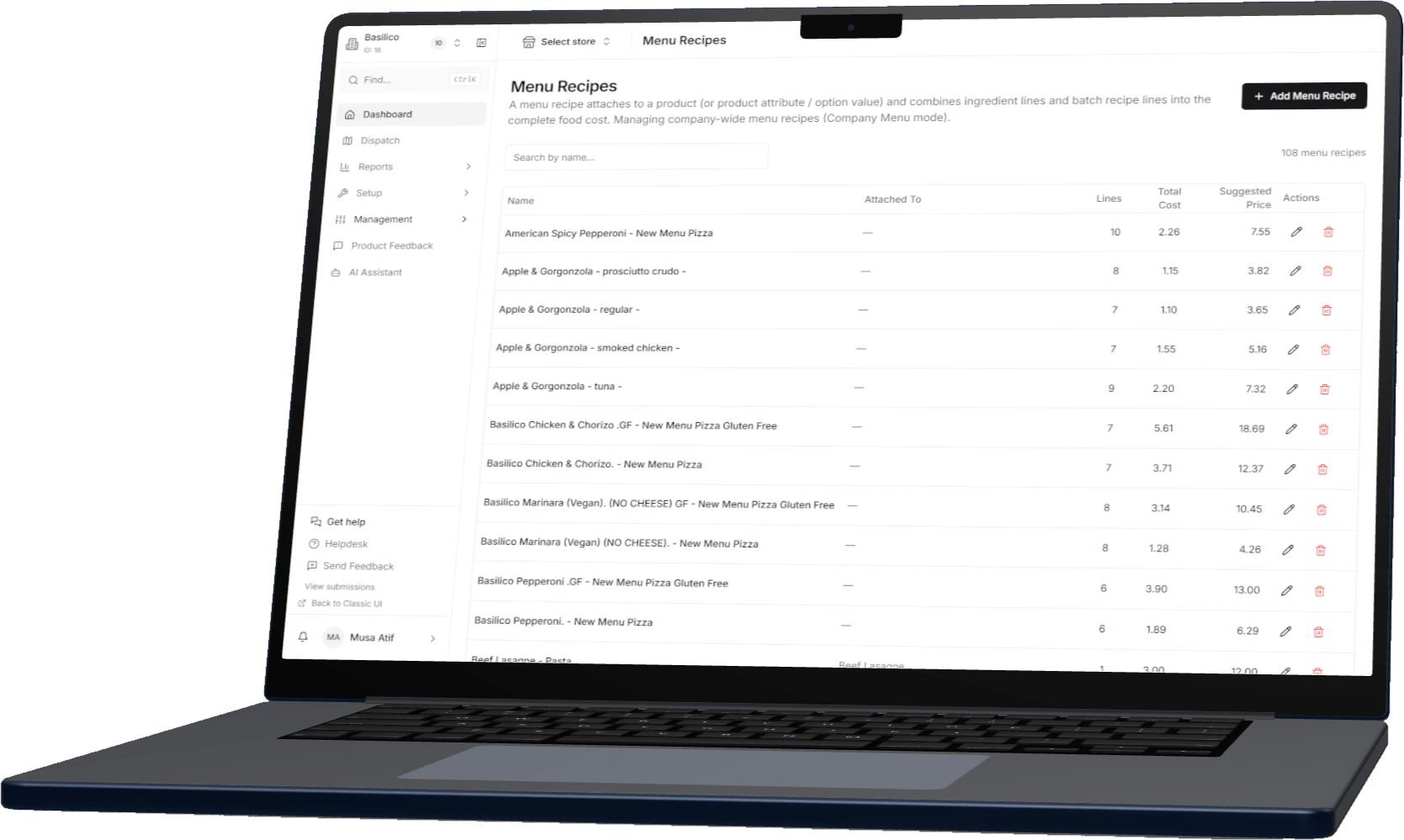
What a dish really costs
Recipes built from ingredients at what you pay for them, so the margin on a dish is a number, not a feeling.
Counts down as you sell
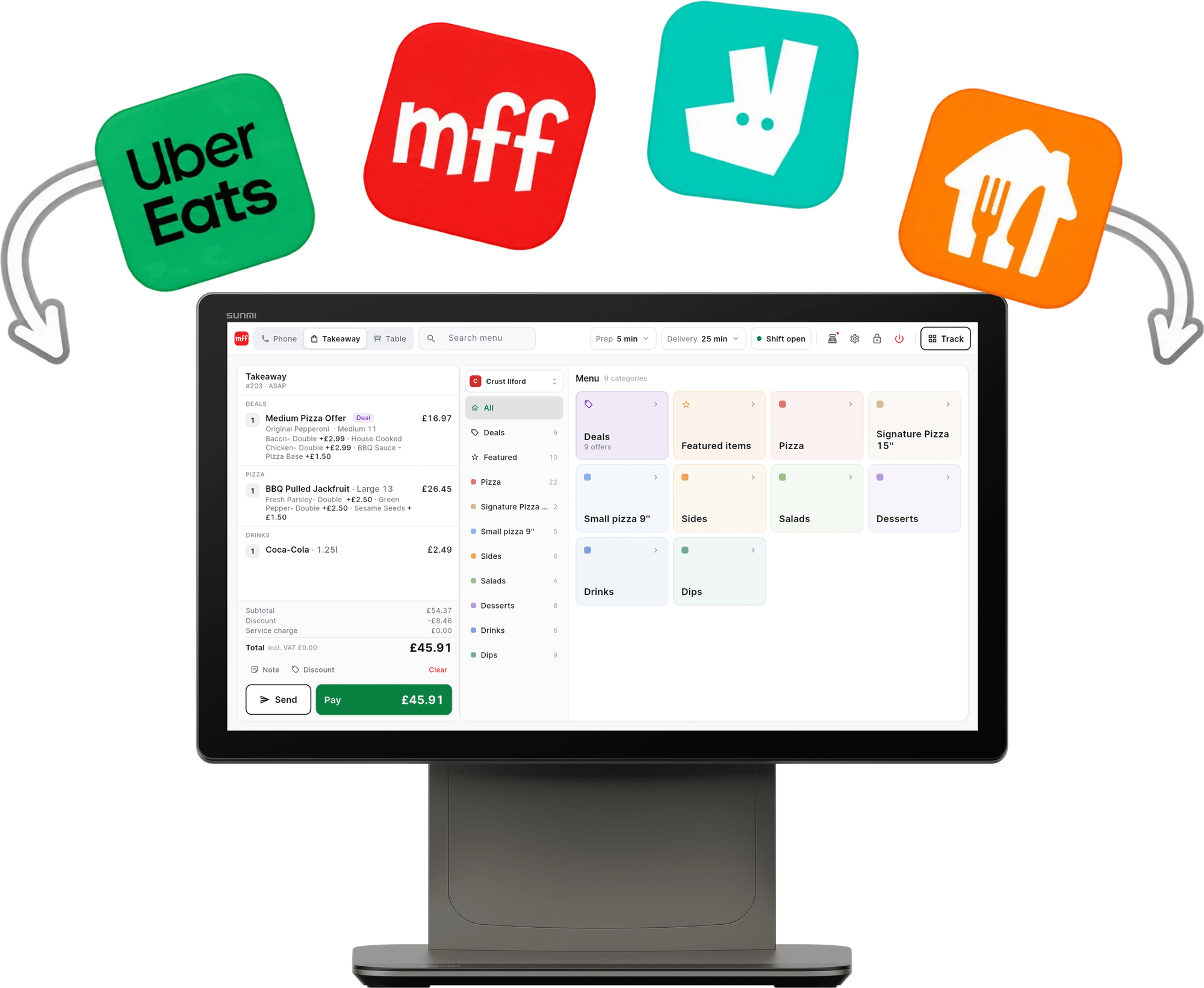
Stock moves as orders go through the POS and the website, not when someone remembers to count.
Spot the dishes that cost too much
Food cost against selling price for every item, so the dishes eating your margin are easy to see.
In the back office
Everything the spreadsheet did. Without the spreadsheet.
Ingredients
Every ingredient, at what you pay for it
Each ingredient carries its supplier, its unit and its cost, and shows how many recipes use it. Import the list from a spreadsheet and export it whenever you need to.

Recipe costing
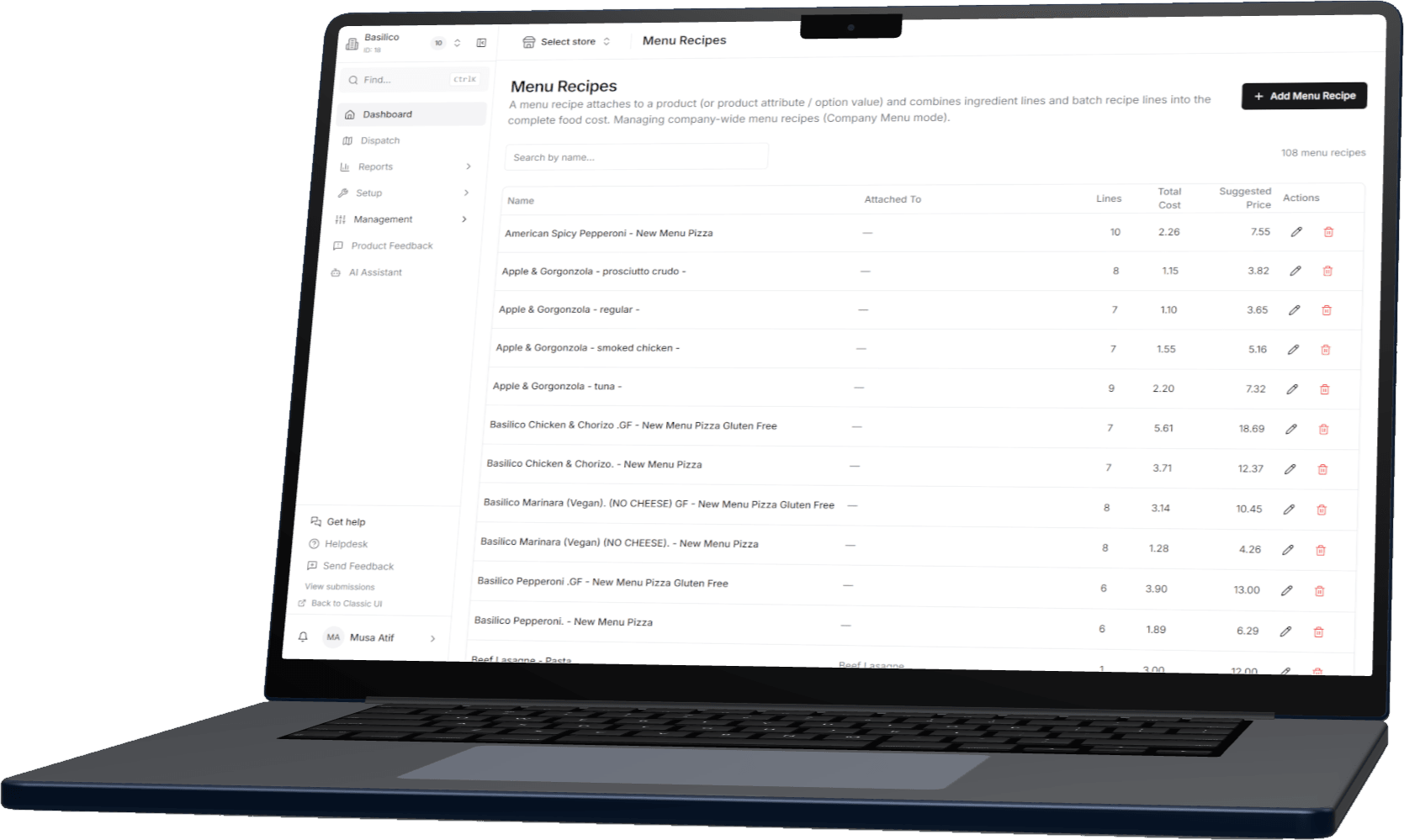
The cost of every dish on your menu
Each menu item maps to a recipe of ingredients and quantities, with its total cost and a suggested selling price beside it, all in one list.
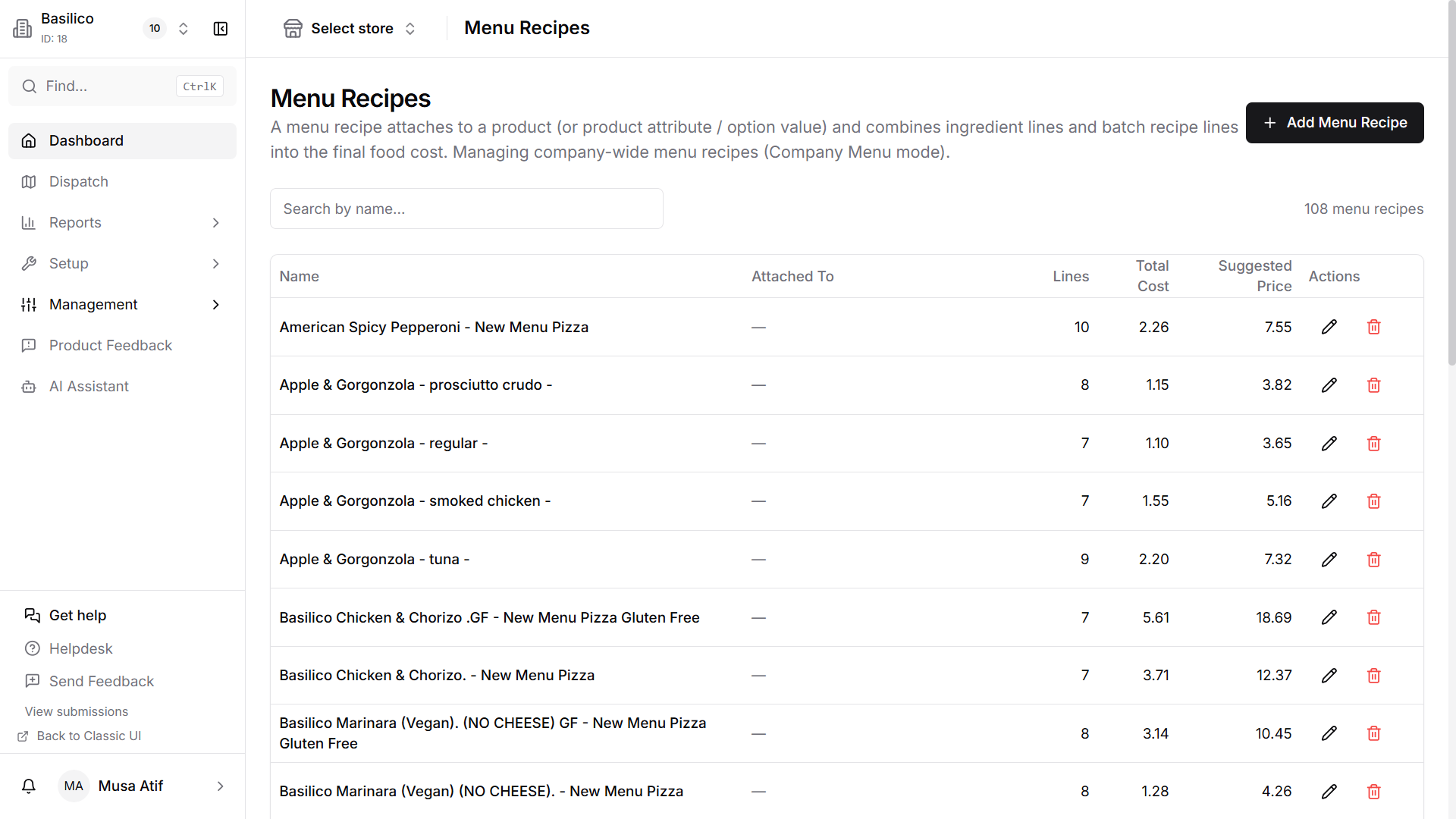
Food cost %
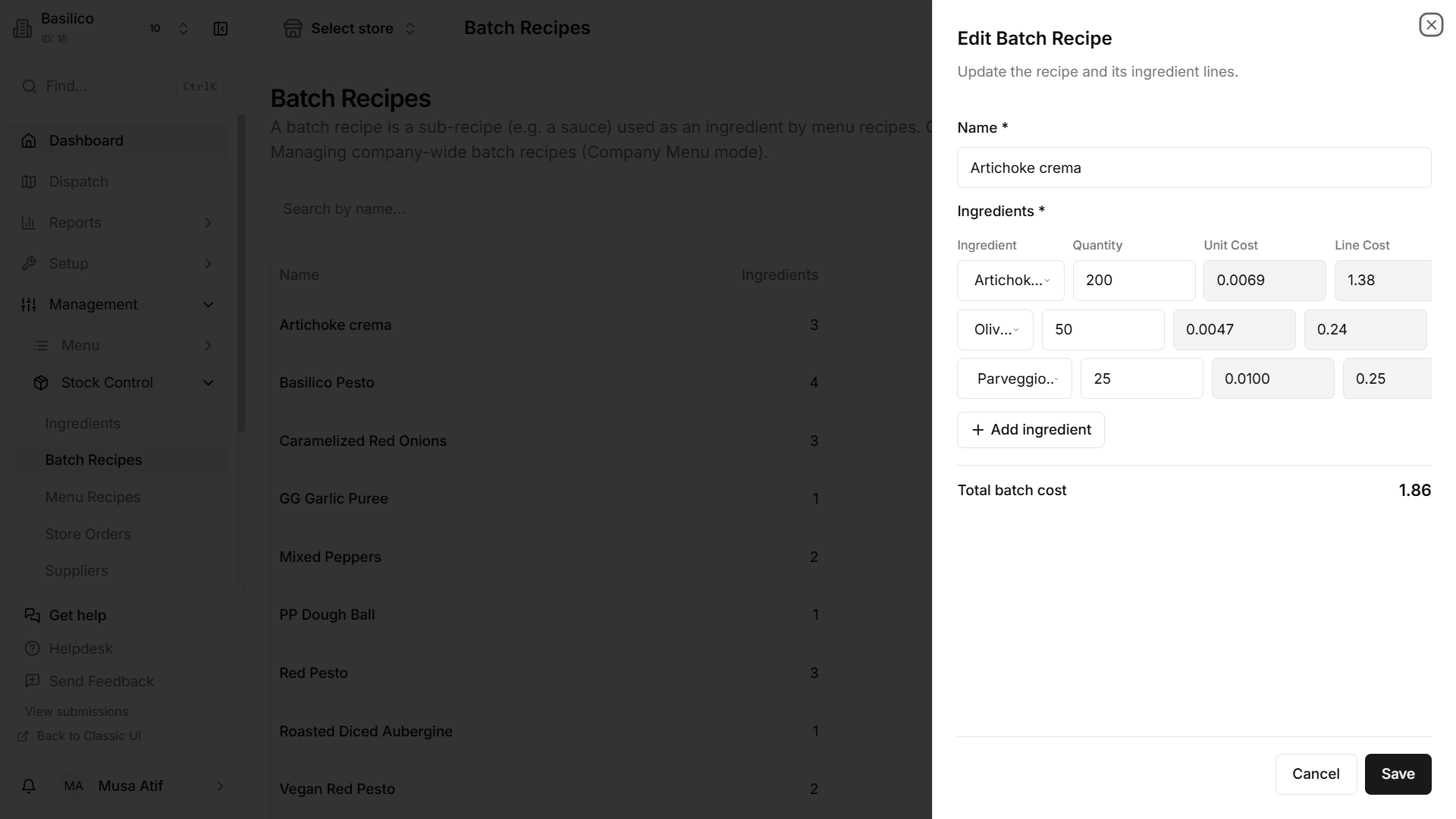
Change a line, see the cost move
Every line in a recipe shows its quantity, unit cost and line cost. Change a quantity or an ingredient’s cost and the dish is costed again straight away.
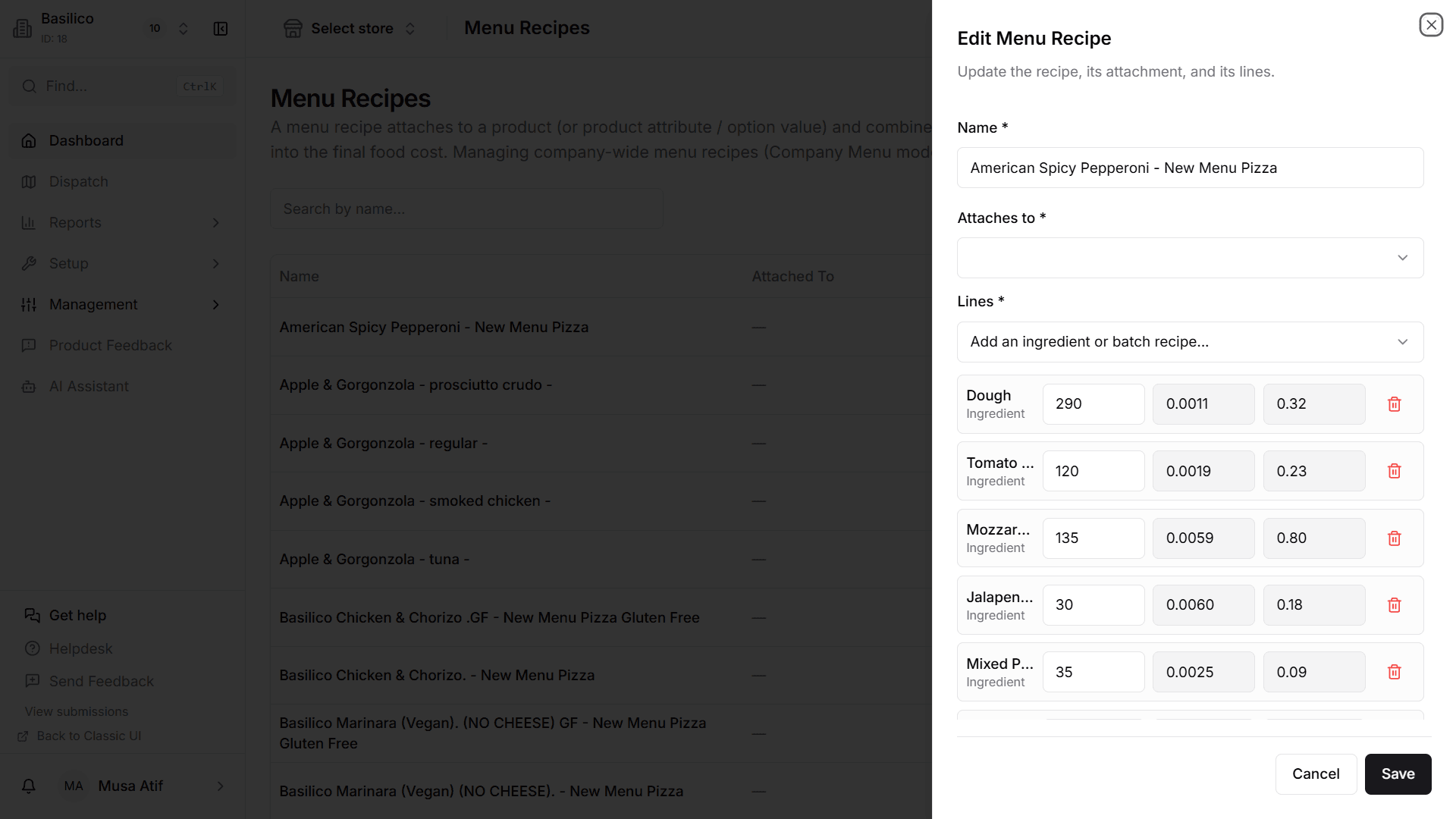
Prep
Sauces, doughs and marinades, costed too
Cost the prep you make in-house once, from its ingredients, then use it inside menu recipes, priced per gram.
Built from a franchise group’s stock playbook
The stock disciplines of a big group, sized for your kitchen.
Before MyFoodFast, our founder ran stock management for a UK franchise group through to its acquisition by a 2,000-store American chain. Start with your bestsellers and dearest ingredients, and add the rest over time.
Every MyFoodFast channel counts
Every sale takes stock down, and every change is recorded.
Supplier orders by email
Order by email, and book stock in when it arrives.
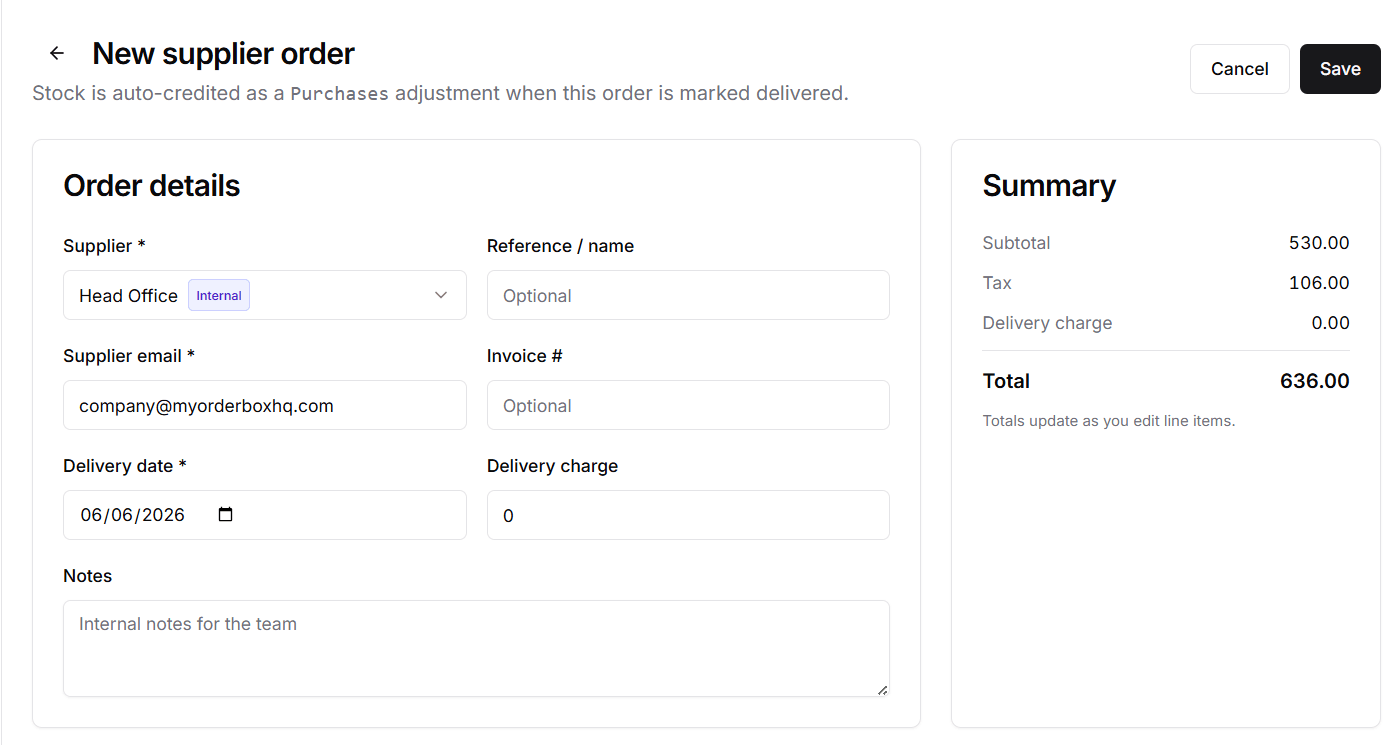
Illustration of a purchase order emailed to a supplier from the MyFoodFast back office, listing ingredients and quantities, with buttons to reorder the last order, fill up to maximum stock levels and mark it delivered.
No EDI needed
Order from any supplier, by email.
Build a purchase order in the back office and email it to your supplier, with no EDI to set up. Reorder from your last order in one tap, or fill up to your maximum stock levels automatically. Mark it delivered and the stock is added, with no retyping the invoice.
For groups
Recipes set once. Stock kept per store.
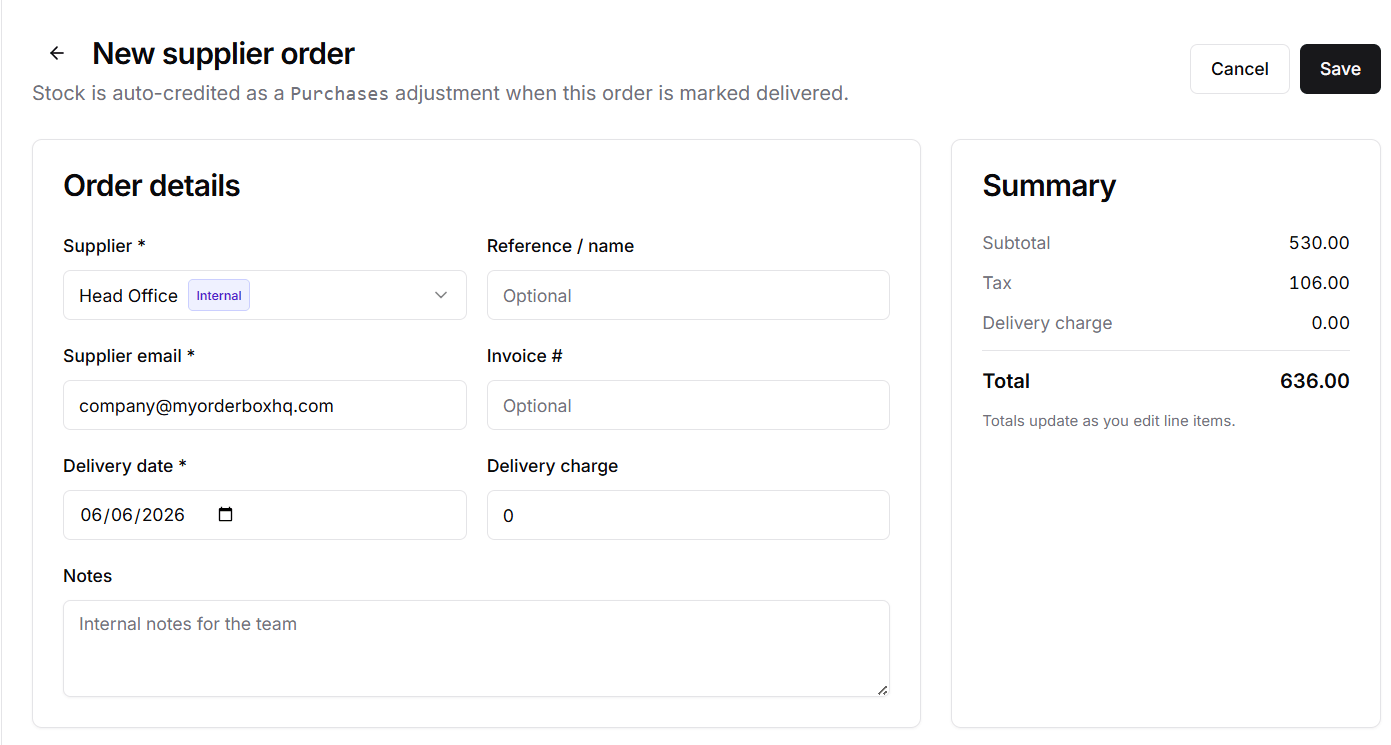
Ingredients and recipes are managed once at company level, while every store keeps its own stock and ordering. Head office can be set up as an internal supplier that approves store orders, and the stock arrives as a transfer rather than a purchase, so purchase reporting stays clean.
Stock Control — the questions owners ask
How much does Stock Control cost?
£49 per store a month, rolling monthly with no minimum term. It runs alongside a MyFoodFast base plan (POS or OrderHub), which is where the orders that deplete your stock come from. Every price is on the pricing page.
What does stock control software for a takeaway do?
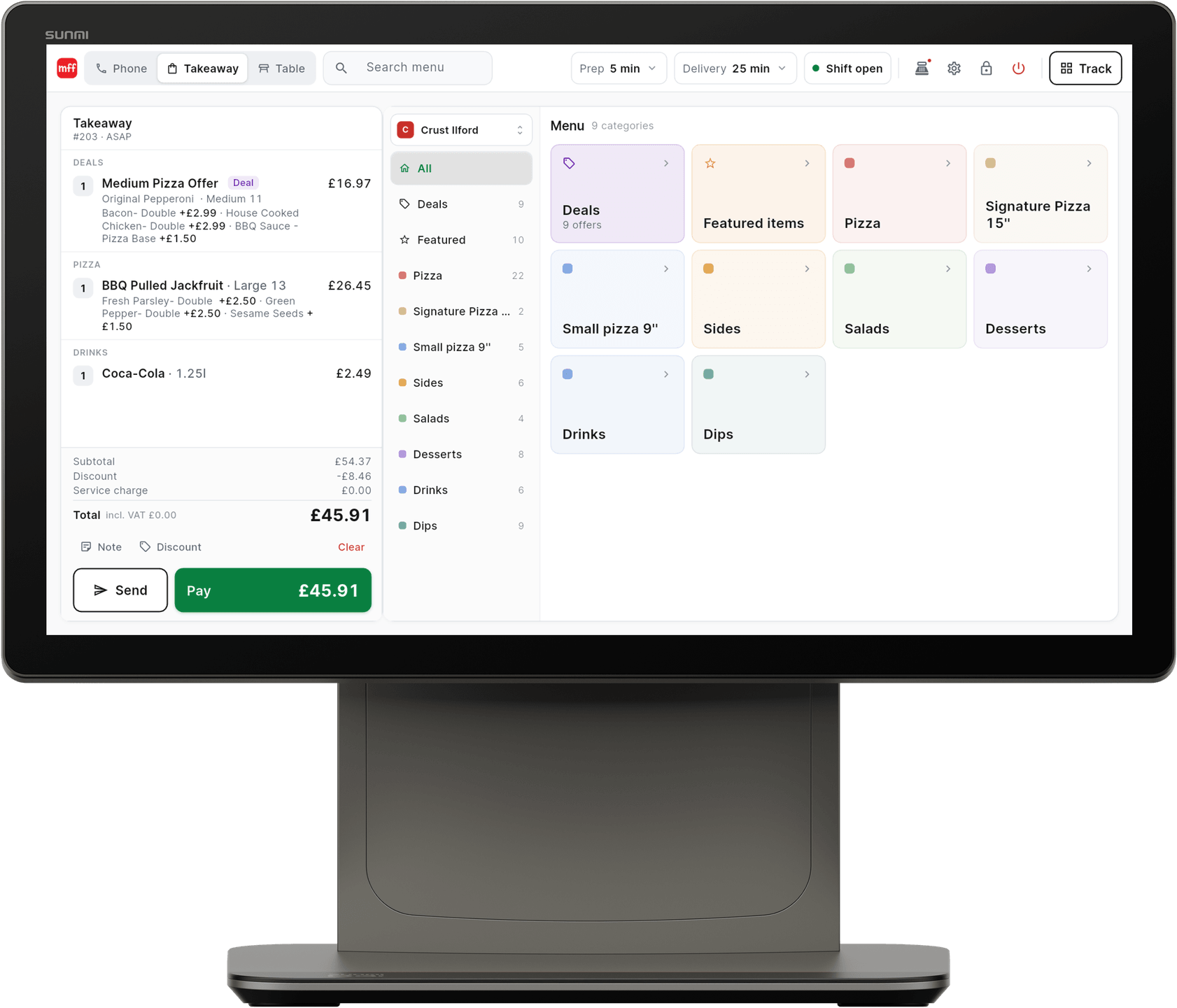
It tracks the ingredients you hold, takes them off as dishes sell, and tells you what each dish costs to make. MyFoodFast does this at ingredient level, connected to the orders that come through your POS, ordering website, app and kiosk, and marketplace orders through Platform Integrations.
Do I have to cost my whole menu before I start?
No. Start with your bestsellers and your dearest ingredients, proteins and cheese, and add the rest over time. Your ingredient list can be imported from a spreadsheet.
How does stock come off when I sell a dish?
Automatically, once the dish has a recipe. Attach a recipe to a menu product and mark its ingredients as tracked; every completed MyFoodFast order — POS, ordering website, app, kiosk, or marketplace orders through Platform Integrations — deducts the recipe quantities. Each ingredient has a movement history, including manual adjustments.
What food cost percentage should a takeaway aim for, and how do I work it out?
Many UK takeaways aim for roughly 25% to 35%. Food cost percentage = (ingredient cost of the dish ÷ selling price) × 100, so a pizza costing £2.40 in ingredients and selling for £9.50 runs at 25.3%. MyFoodFast works this out for every dish from your recipes and recalculates when you update an ingredient’s cost.
Do I need EDI to order from my suppliers?
No. You build a purchase order in the back office and email it to your supplier. Reorder from your last order in one tap, or fill up to your maximum stock levels automatically. When you mark it delivered, the stock is added, with no retyping the invoice.
We run several sites. Can stores share recipes and order from head office?
Yes. Ingredients and recipes are managed once at company level, each store keeps its own stock and ordering, and head office can be an internal supplier that approves store orders before dispatch. It is £49 per store a month; for two or more sites, book a demo and we will plan the setup with you.
Does it work with a POS from another company?
No. Stock depletes from orders that go through MyFoodFast, so orders taken on another system are not deducted. The more of your channels run through MyFoodFast, the more complete your stock picture.
See exactly how it’s set up
Step-by-step guides and features worth knowing.
Works with
Better together
Stock counts down from what sells, so it works hand in hand with the products that sell it.
Stop guessing what your food costs.
One shop: start the free trial, import your ingredients from a spreadsheet and cost your bestsellers first. Two or more sites: a demo plans company-level recipes, per-store stock and head-office ordering across the group.
No card needed to sign up. Set up your shop first; your 7-day free trial starts when you add a card, and your plan starts after it unless you cancel.
- No contracts
- No aggregator commission
- Cancel anytime